Cognitive Memory Model (CMM)
Autoassociative cognitive memory for LLMs and AI agents.
LLMs have no real memory. Knowledge is either baked into weights, held in the ephemeral context window, or stored in files that require the agent to explicitly decide to read and write. CMM changes this — it gives LLMs automatic, cognitive-like memory that passively monitors conversations, encodes them into compressed gist representations, and surfaces relevant memories when associative cues appear. No one has to decide to "look something up."
Results
CMM improves LLM response accuracy by +67% keyword / +78% LLM-judge on contamination-free novel-fact benchmarks with Claude Opus 4.6.
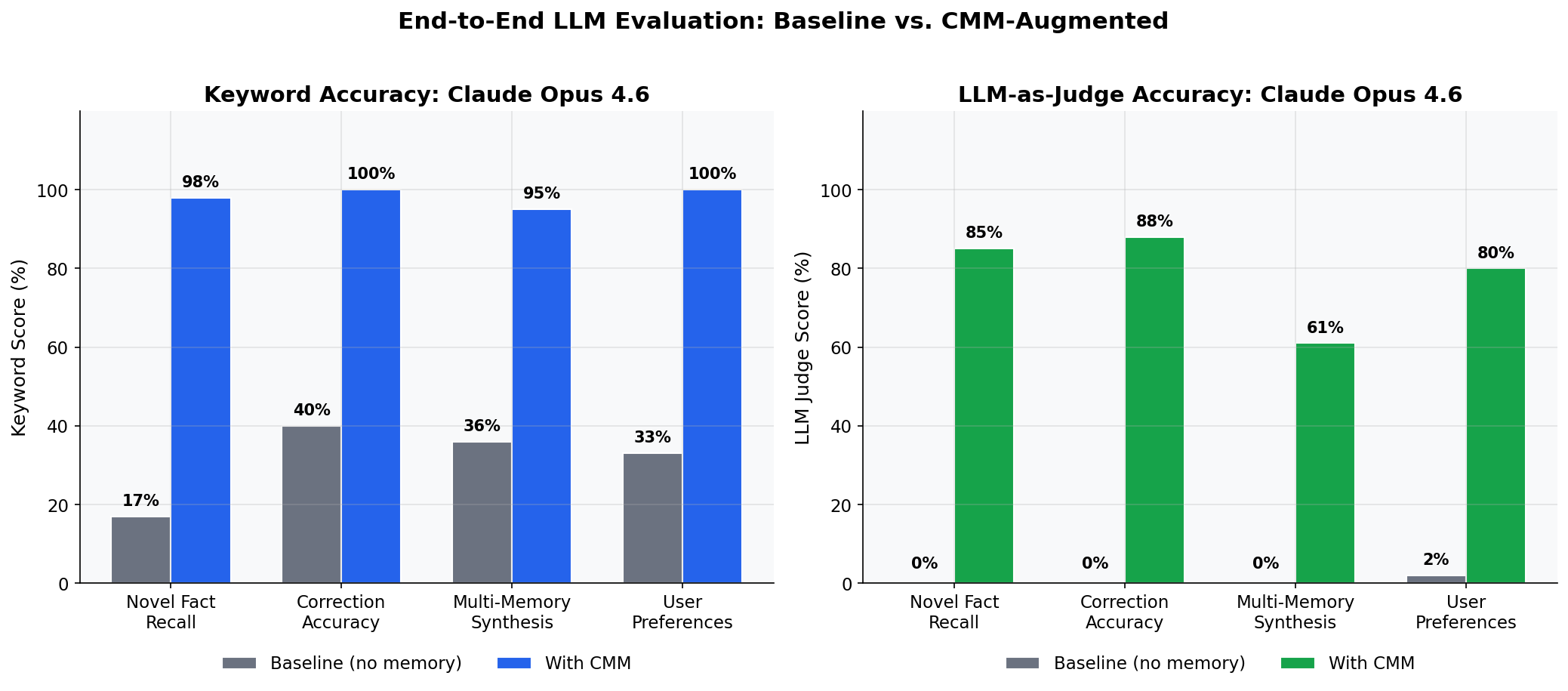
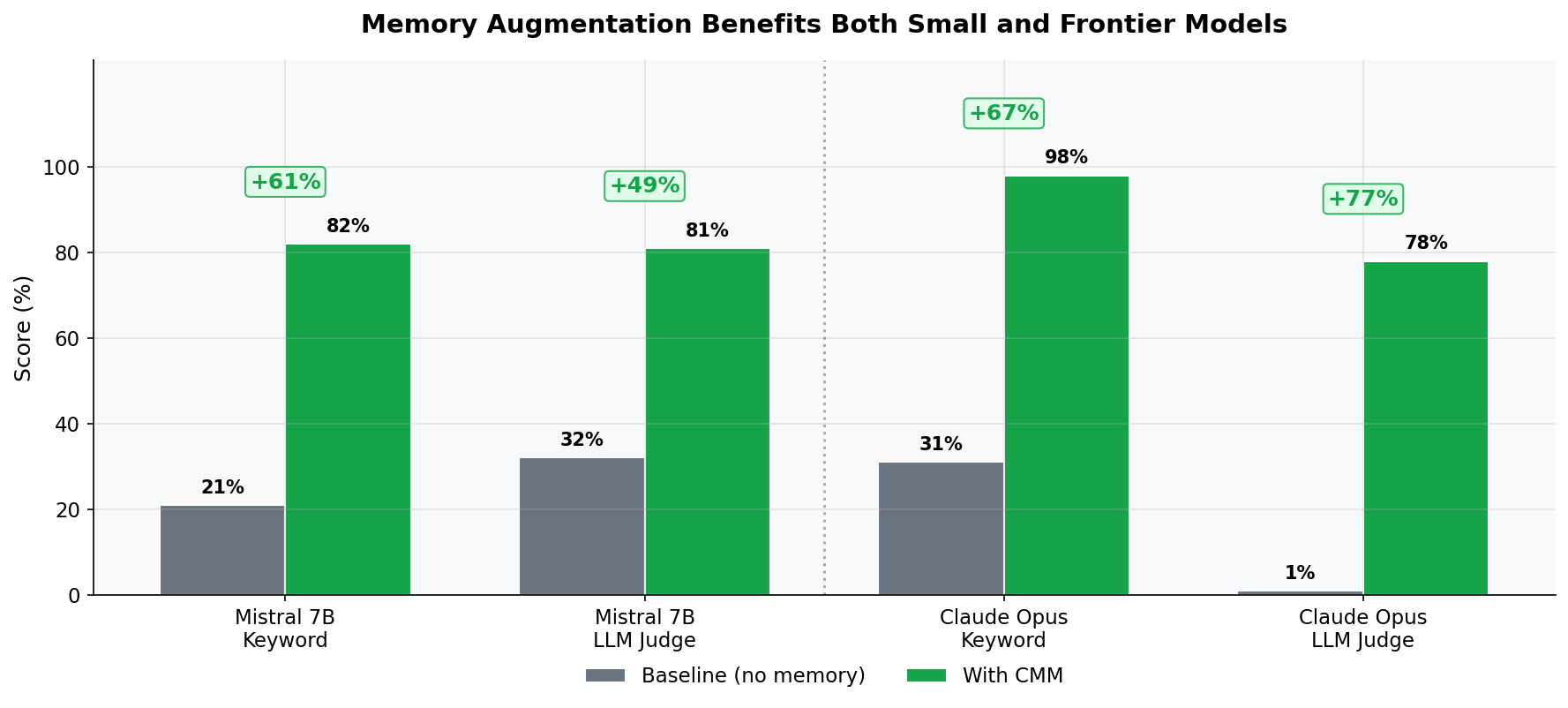
The improvement holds across model scales — both small (Mistral 7B) and frontier (Claude Opus 4.6) models benefit substantially.
Key Features
CMM is the first LLM memory system to implement spreading activation, entity linking, priming, and metamemory in combination.
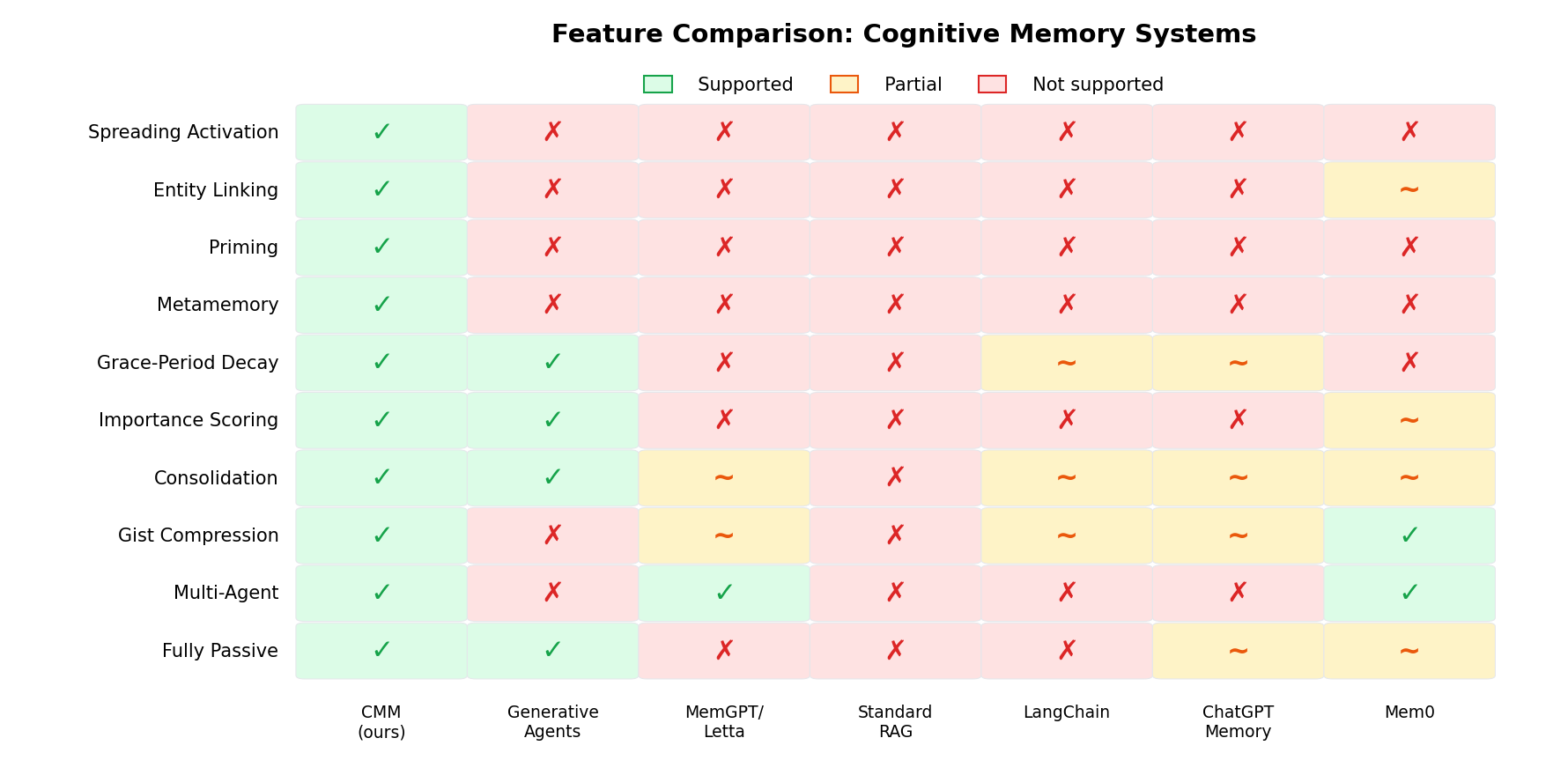
- Spreading activation — dual-path: FAISS embedding neighbors + spaCy entity linking
- Priming — recently activated memories boost related memories for subsequent turns
- Metamemory — confidence levels and "tip of the tongue" partial-match hints
- Grace-period temporal decay — no decay for 2 weeks, then frequency-dependent exponential decay
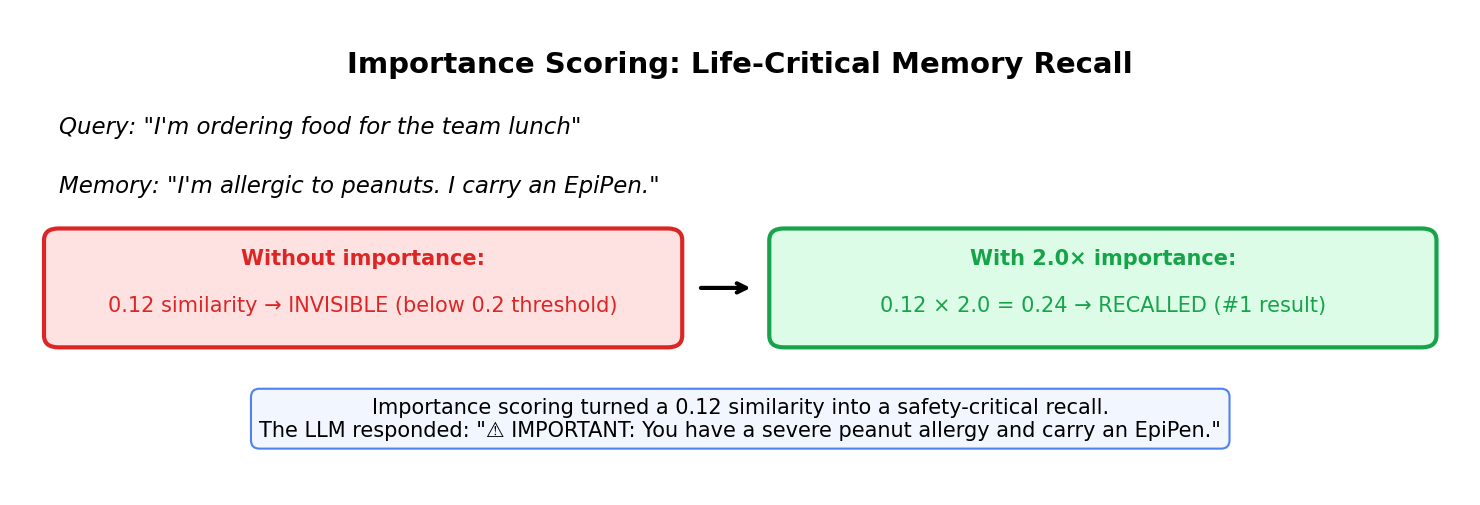
- Importance scoring — corrections and instructions get 2x importance; routine exchanges get 0.5x
- Emotional valence — each memory tagged with valence, arousal, and emotion label
- Episodic → semantic consolidation — clusters similar episodic memories into general knowledge
Getting Started
from cmm.pipeline.conversation import CognitiveMemoryPipeline

pipeline = CognitiveMemoryPipeline()
pipeline.ingest("user", "I'm allergic to peanuts. I carry an EpiPen.")
results = pipeline.recall("ordering food for the team")
print(pipeline.format_recalled(results))
See the Installation and Quick Start guides for more.